앞에 한 내용.
https://question99.tistory.com/543
[안드로이드] 코틀린 / 버튼 만들고 이벤트 추가하기
https://question99.tistory.com/542 [안드로이드] 코들린 / HelloWorld 만들기 안드로이드스튜디오 버전 입니다. 버전만다 약간씩 다르군요. 다음과 같이 메뉴에서 File / New / New Project 를 선택 합니다. 'Phone and
question99.tistory.com
- Palette에서 'Plain Text'가 EditText 입니다.
- Plain Text를 드래그해서 화면으로 이동 합니다.

- Code에 추가된 내용 입니다.
    <EditText
        android:id="@+id/editText1"
        android:layout_width="wrap_content"
        android:layout_height="wrap_content"
        android:ems="10"
        android:inputType="textPersonName"
        android:text="Name"
        tools:layout_editor_absoluteX="87dp"
        tools:layout_editor_absoluteY="277dp" />
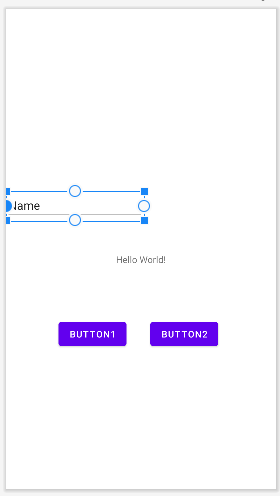
- Plain Text(EditText)의 위치를 잡아 줍니다.
- HelloWorld를 클릭해서 위쪽 원을 드래그해서 Plain Text 하단 원에 붙여줍니다.
- 다시 HelloWorld 전체를 드레그해서 위치를 잡아 줍니다.
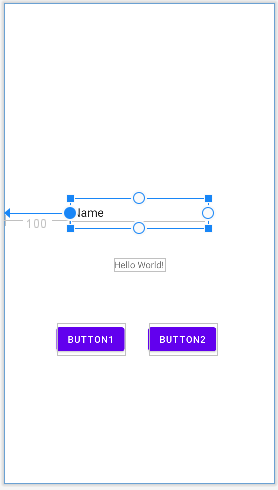
- Plain Text를 클릭해서 왼쪽 원을 드래그해서 화면 왼쪽에 붙여 준 후 다시 Plain Text 전체를 가운데로 드래그 합니다.

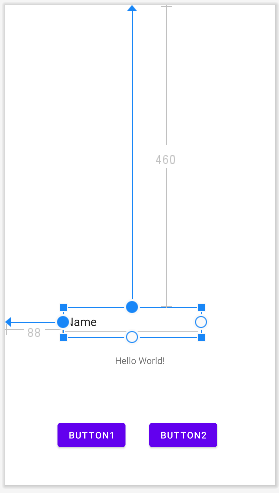
- Plain Text를 클릭해서 위쪽 원을 드래그 해서 화면 상단에 붙여준 후 다시 Plain Text 전체를 드래그해서 아래로 이동해 적당한 위치에 놓습니다.

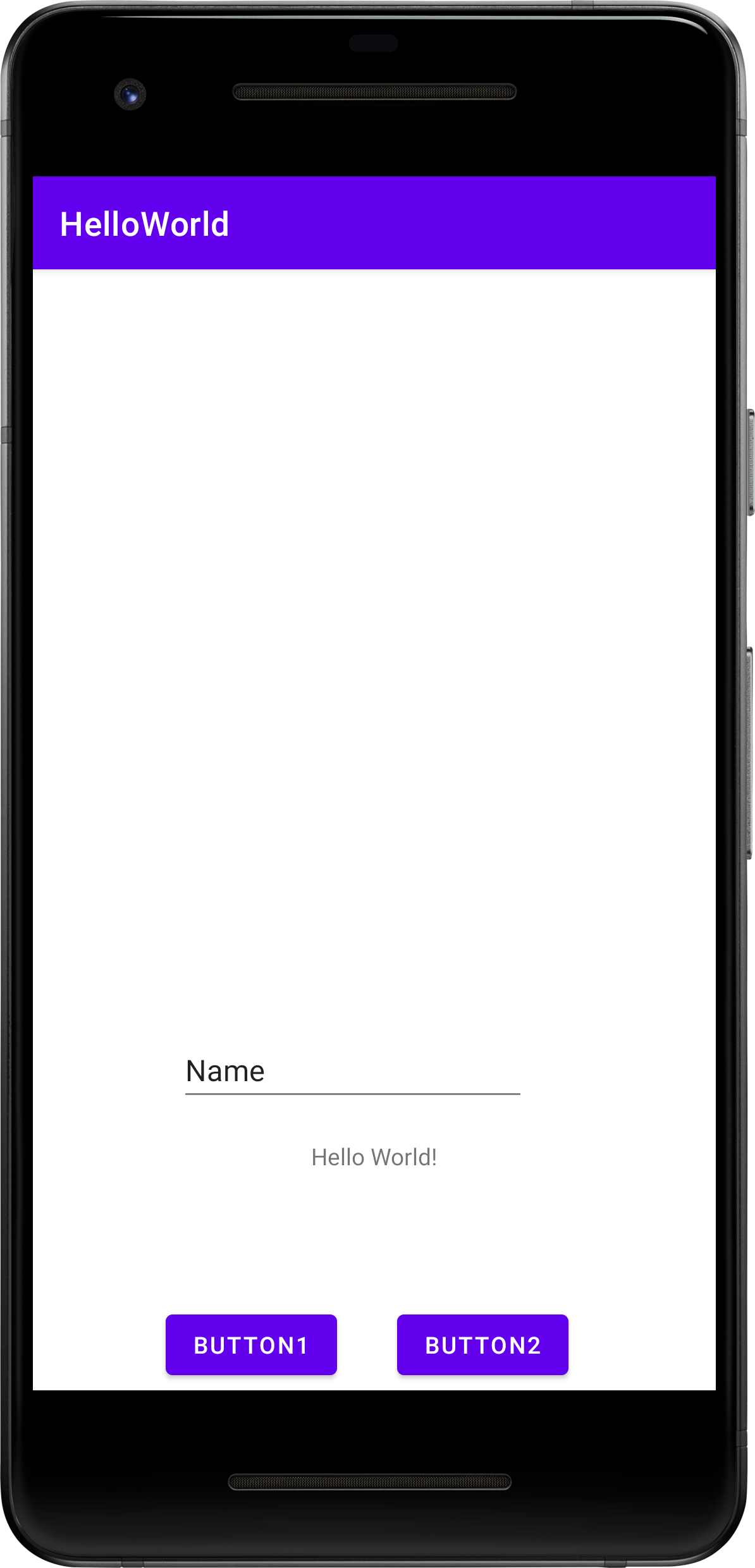
- 수정 전
package com.example.helloworld

import androidx.appcompat.app.AppCompatActivity
import android.os.Bundle
import android.widget.Button
import android.widget.TextView

class MainActivity : AppCompatActivity() {
    override fun onCreate(savedInstanceState: Bundle?) {
        super.onCreate(savedInstanceState)
        setContentView(R.layout.activity_main)

        var button = findViewById<Button>(R.id.button1)
        var txtView = findViewById<TextView>(R.id.txtView)
        button.setOnClickListener{
            txtView.text = "안녕하세요!"
        }
    }
}
- 수정
다음 라인들이 추가됩니다.
import android.widget.EditText

var txtEdit = findViewById<EditText>(R.id.editText1)

button.setOnClickListener{
// txtView.text = "안녕하세요!"
txtView.text = txtEdit.text
- 수정 후
package com.example.helloworld

import androidx.appcompat.app.AppCompatActivity
import android.os.Bundle
import android.widget.Button
import android.widget.TextView
import android.widget.EditText

class MainActivity : AppCompatActivity() {
    override fun onCreate(savedInstanceState: Bundle?) {
        super.onCreate(savedInstanceState)
        setContentView(R.layout.activity_main)

        var button = findViewById<Button>(R.id.button1)
        var txtView = findViewById<TextView>(R.id.txtView)
        var txtEdit = findViewById<EditText>(R.id.editText1)

        button.setOnClickListener{
            // txtView.text = "안녕하세요!"
            txtView.text = txtEdit.text
        }
    }
}
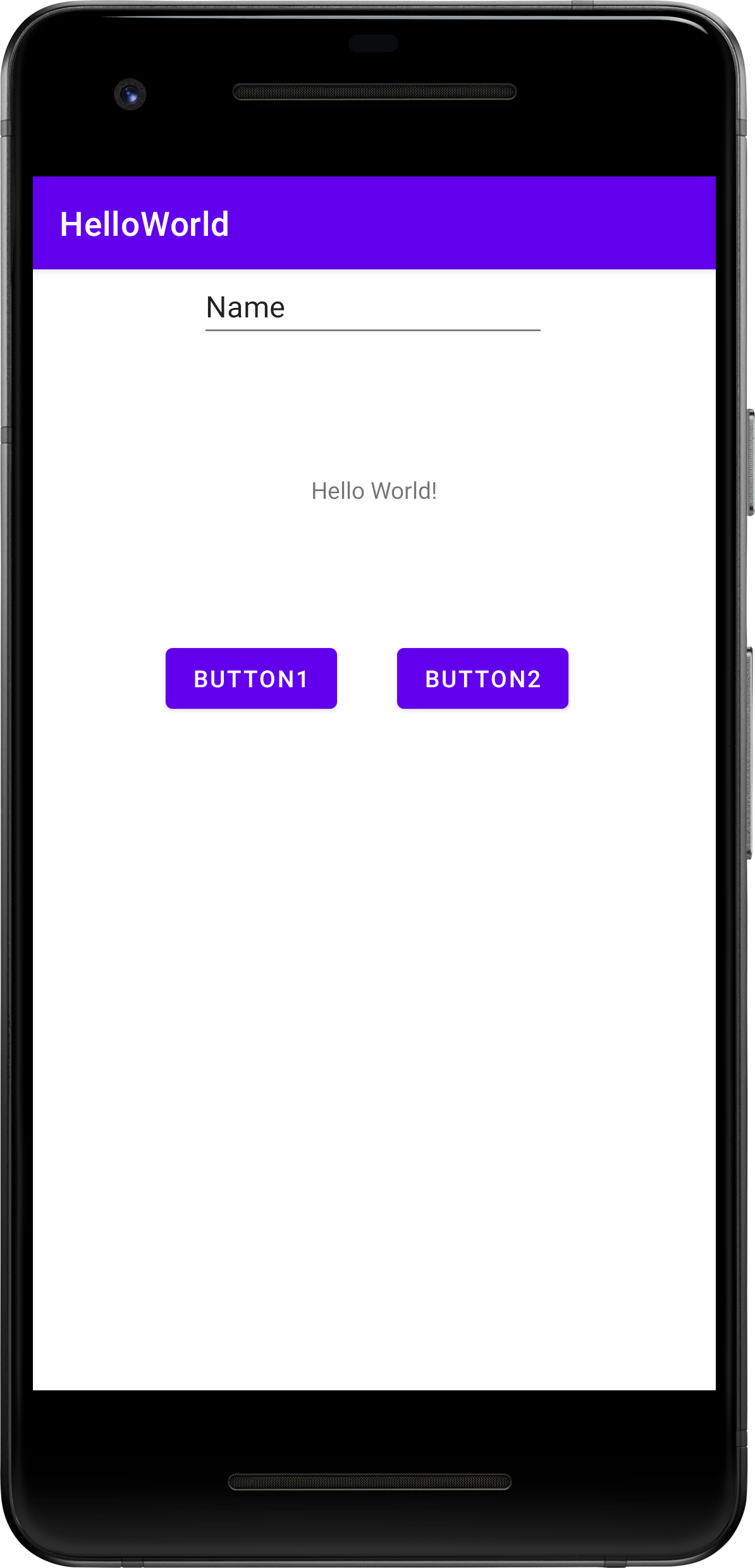
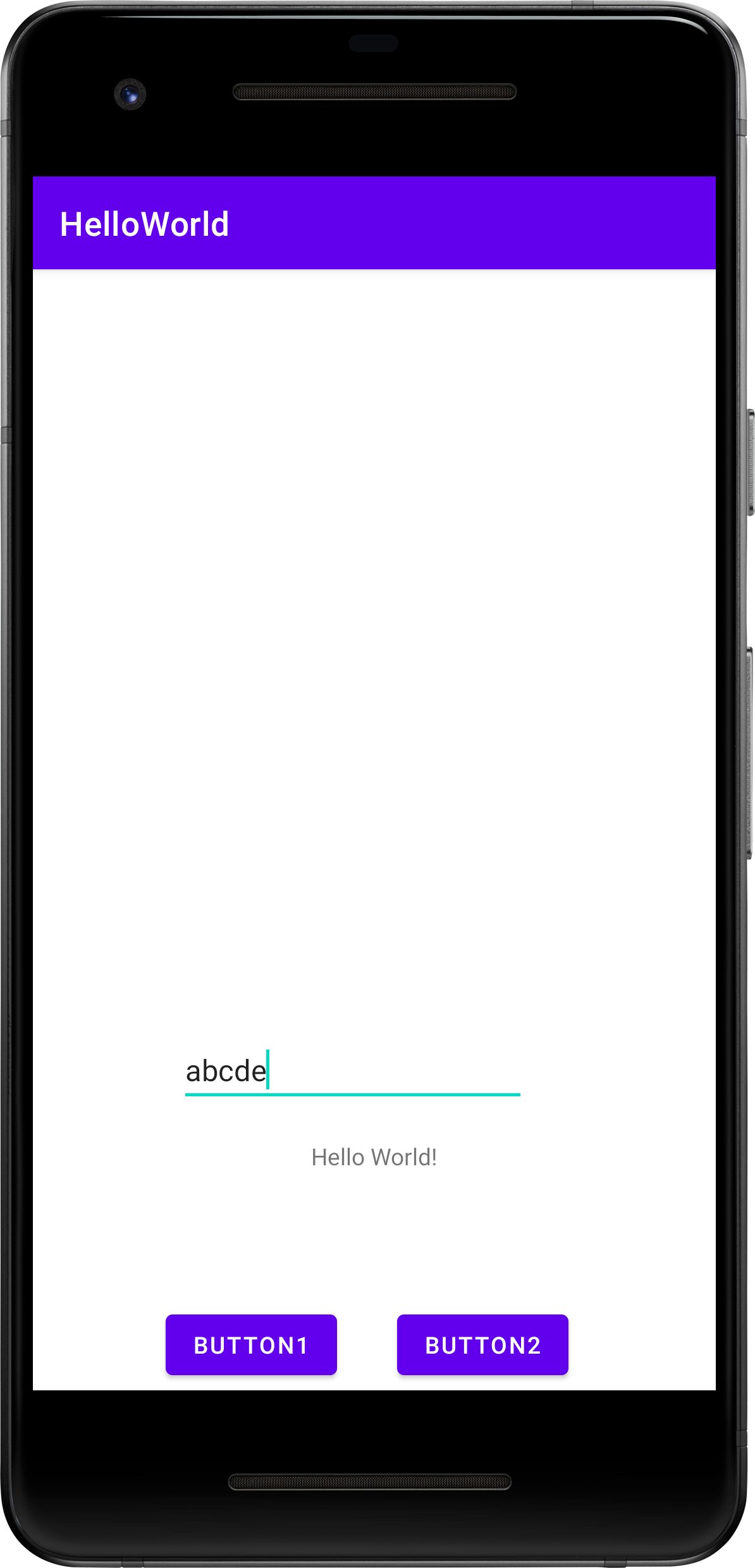
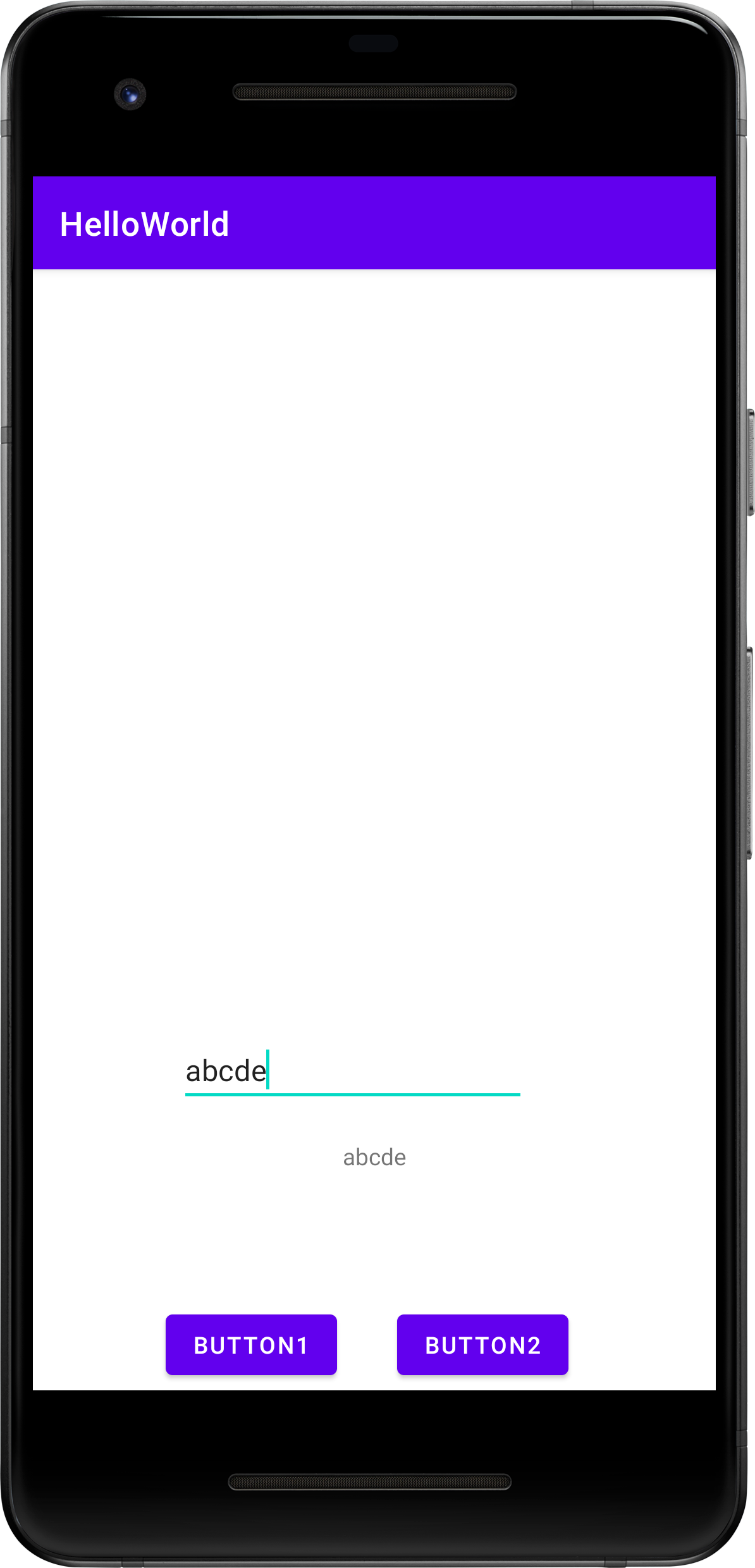
- EditText에 입력합니다.
- BUTTON1을 클릭하면 EditText에 입력한 내용이 HelloWorld 내용을 수정합니다.
'프로그램' 카테고리의 다른 글
| [파이썬] 문제 : 리스트의 다중 요소 삭제 (0) | 2023.01.05 |
|---|---|
| [안드로이드]코틀린 / ListView 추가하기 (0) | 2023.01.04 |
| [파이썬] 문제 : 문자열 이름만 입력 받기 (1) | 2023.01.03 |
| [안드로이드] 코틀린 / 안드로이드스튜디오 디자인으로 배치하기 (1) | 2023.01.02 |
| [안드로이드] 코틀린 / 버튼 만들고 이벤트 추가하기 (0) | 2023.01.02 |


댓글